Control any computer, anywhere in the world.
ShareGlo gives you fast, secure remote access and support across Windows and macOS — live screen sharing, full remote control, file transfer, and unattended access.
Free plan available. No credit card required.
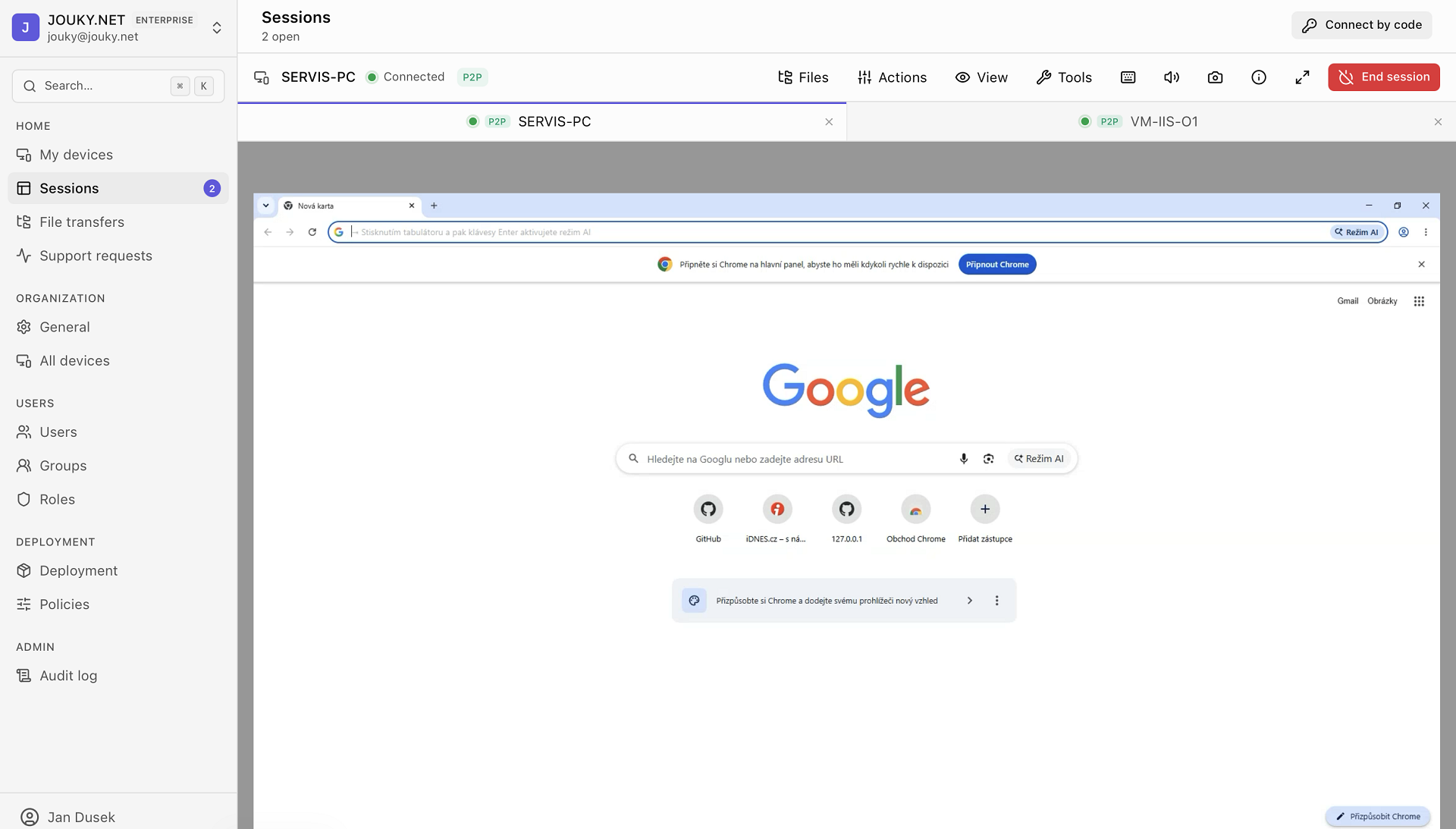
Everything you need to support and control remote machines
A complete remote-desktop toolkit — not a stripped-down viewer.
Live screen sharing
Hardware-accelerated H.264 capture (Windows Graphics Capture, macOS ScreenCaptureKit) streams a crisp, low-latency view of the remote desktop.
Full remote control
Real mouse and keyboard control, including special commands: Ctrl+Alt+Del, lock, log off, reboot, and block local input during a session.
Multi-monitor
Switch between every display on the remote machine — no per-monitor licensing, all screens included.
File transfer & clipboard
Move files both directions and sync the clipboard between your machine and the remote host.
Unattended access
Register a device once and connect any time without someone present — perfect for servers and your own machines.
Secure by design
Encrypted sessions, audit logs, device policies, and single-active-login keep access accountable.
Built for real remote work
From a single session to your entire fleet — here's what you'll actually be using.
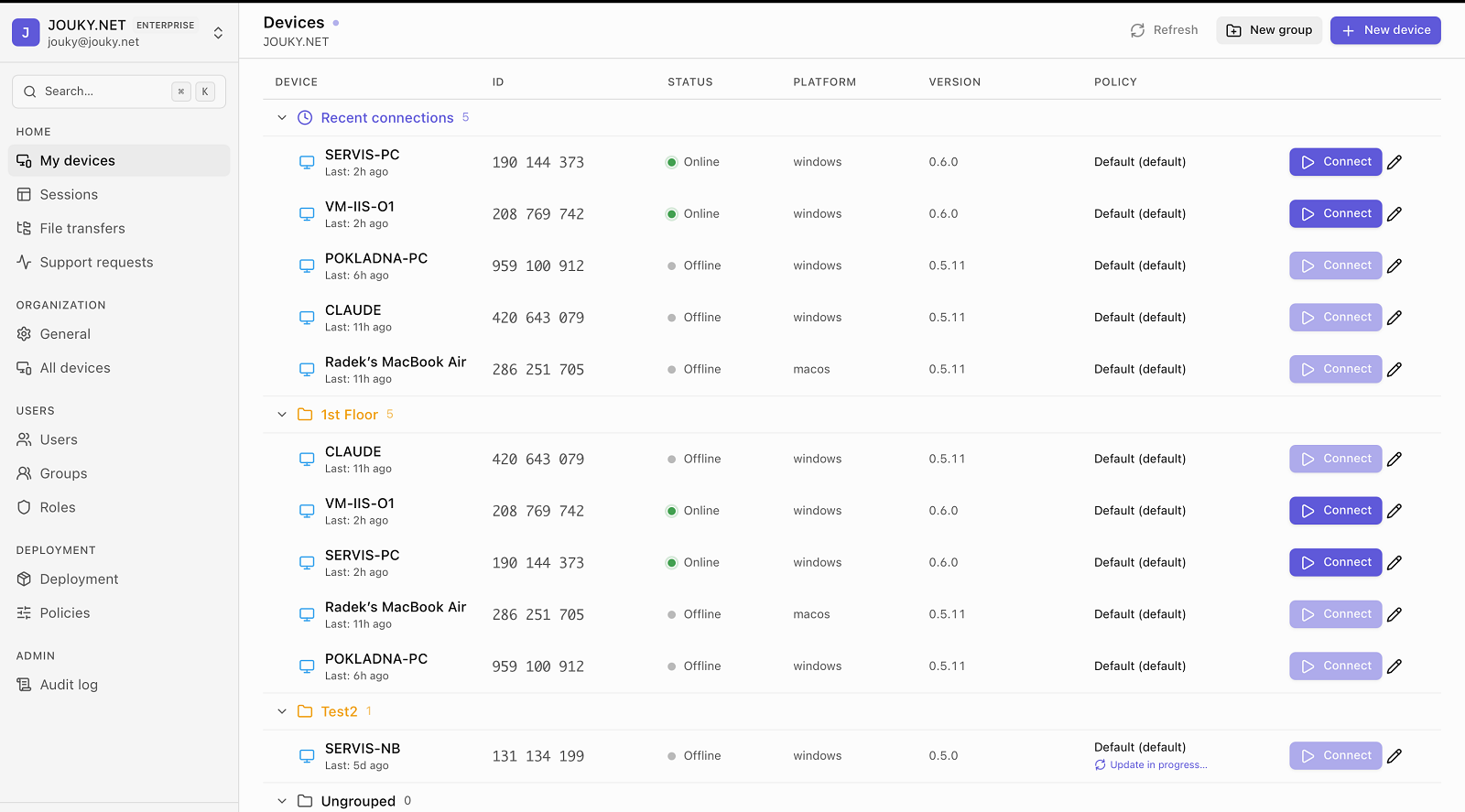
Device management
Your whole fleet, in one place
Group devices, see who's online at a glance, track versions and policies, and connect in a single click — across Windows and macOS.
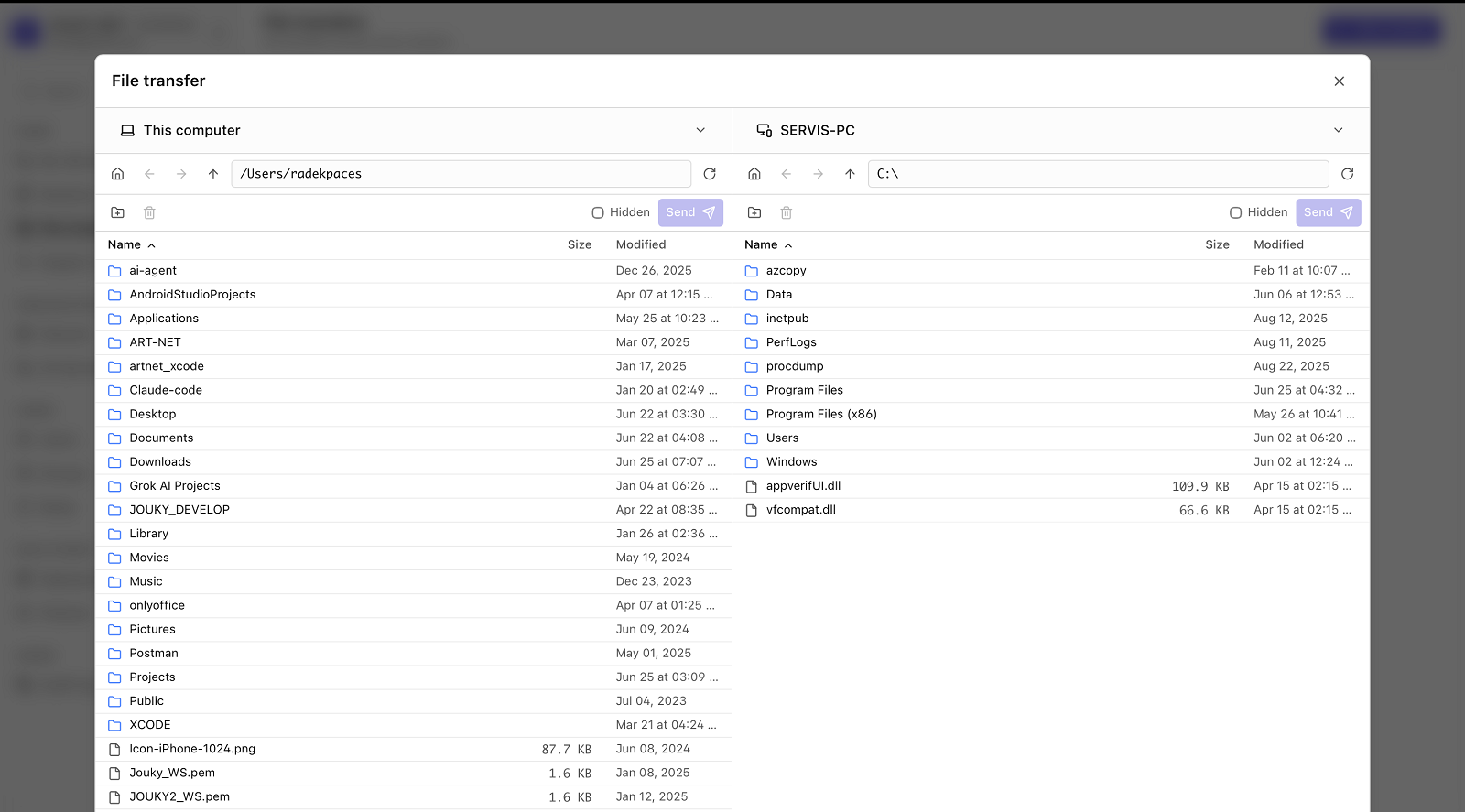
File transfer
Move files both directions
A dual-pane browser for the local and remote machine — drag, drop, and send without ever leaving the session.
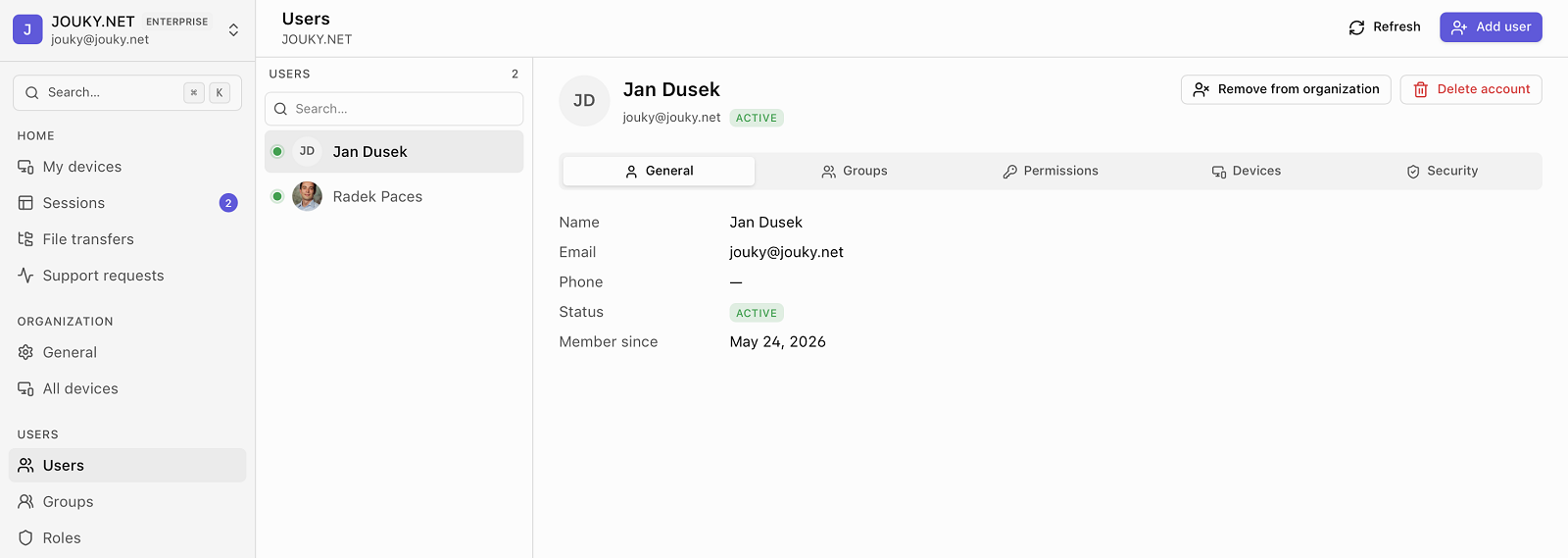
Team & administration
Control who can access what
Manage users, groups, roles and per-device permissions from one console — with audit logs that keep every connection accountable.
Works where you work
Native host and viewer apps for Windows and macOS.
Start controlling remote machines today
Create a free account, download the apps, and connect in minutes.